What every turn changed
See which files each turn of an agent touched, read the diff, and put a turn back.
A turn is one round of work: from your message until the agent is done with it. At the start and end of every turn, Compagnion takes a snapshot of the whole workspace. That makes every turn's changes visible on their own, even when the agent never commits.
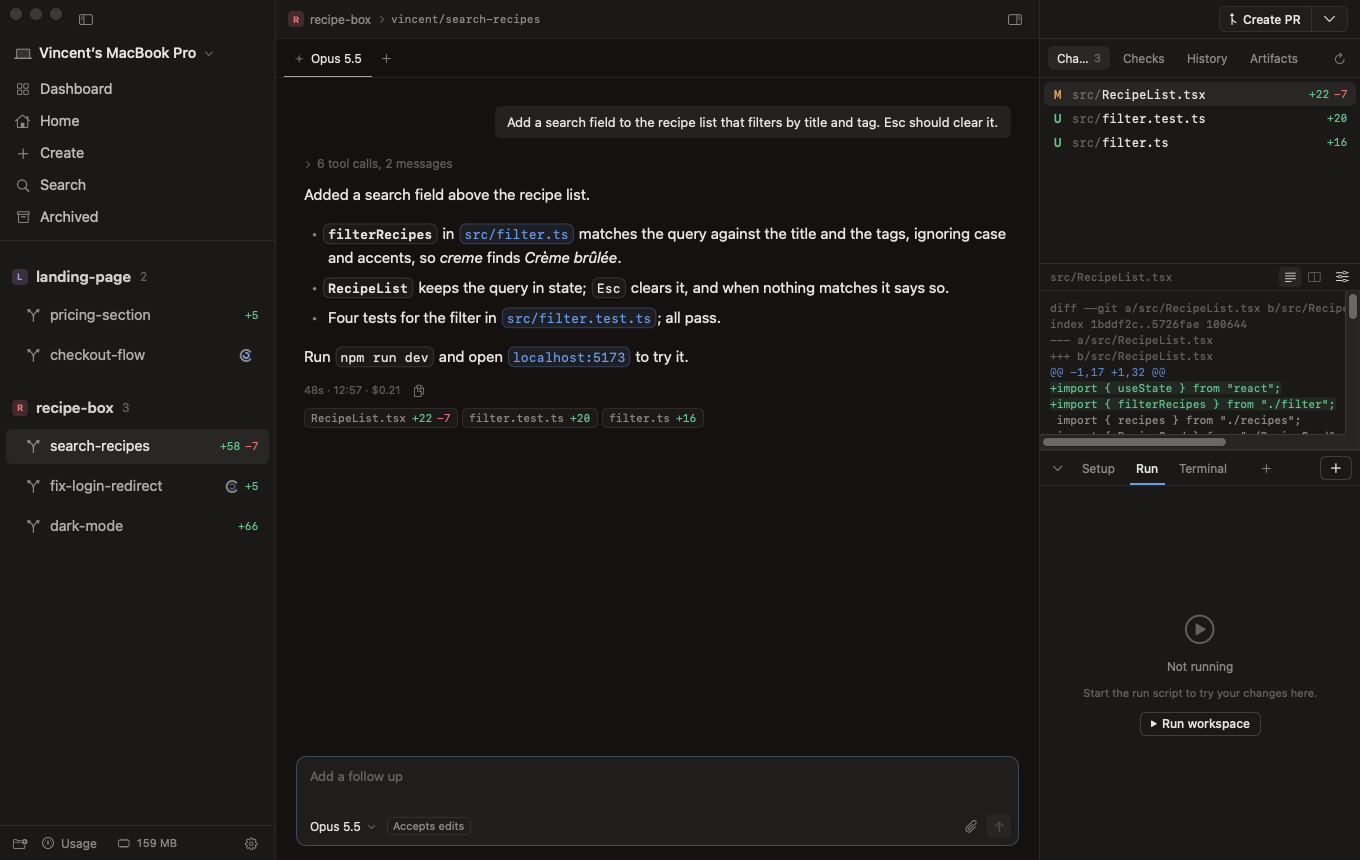
Under every turn
Below each turn in the chat is a row of chips, one per file it changed: RecipeList.tsx +22 −7. With more than three files you see the two biggest and +N more.
- Hover a chip for a small diff of that file in that turn.
- Click it to open the whole turn's diff in the Changes tab, at that file.
Changes
The Changes tab in the right panel shows everything the workspace changed compared to where its branch started, file by file. Above the diff you choose unified or split, and under the sliders whether to hide whitespace changes and wrap lines; Compagnion remembers your choice. Open the diff as a tab of its own next to the sessions when you want more room.
The History tab lists the branch's commits, with their files and lines, also after the branch has been merged.
Revert a turn, step by step
Didn't like what a turn did? Put it back:
- Wait until the session is idle. You can't revert while the agent is working.
- Find the turn in the chat and hover its row of chips. Revert appears next to them. You'll also find it above the turn's diff, after clicking a chip.
- Confirm. Compagnion asks before it changes anything.
- The files are back the way they were before that turn. Only the files that turn changed are touched; later changes to those same files go too, other files stay as they are.
Nothing is lost: just before reverting, Compagnion takes another snapshot, so what was there is still in the repository. Want the agent to try again? Tell it what to do differently in your next message.
Snapshots, not commits
The snapshots live under their own references in the repository, out of sight: your branch, its commits and the files you're editing aren't affected. Files in .gitignore aren't part of them. They're removed together with the workspace.